




UPLOADING AN IMAGE:
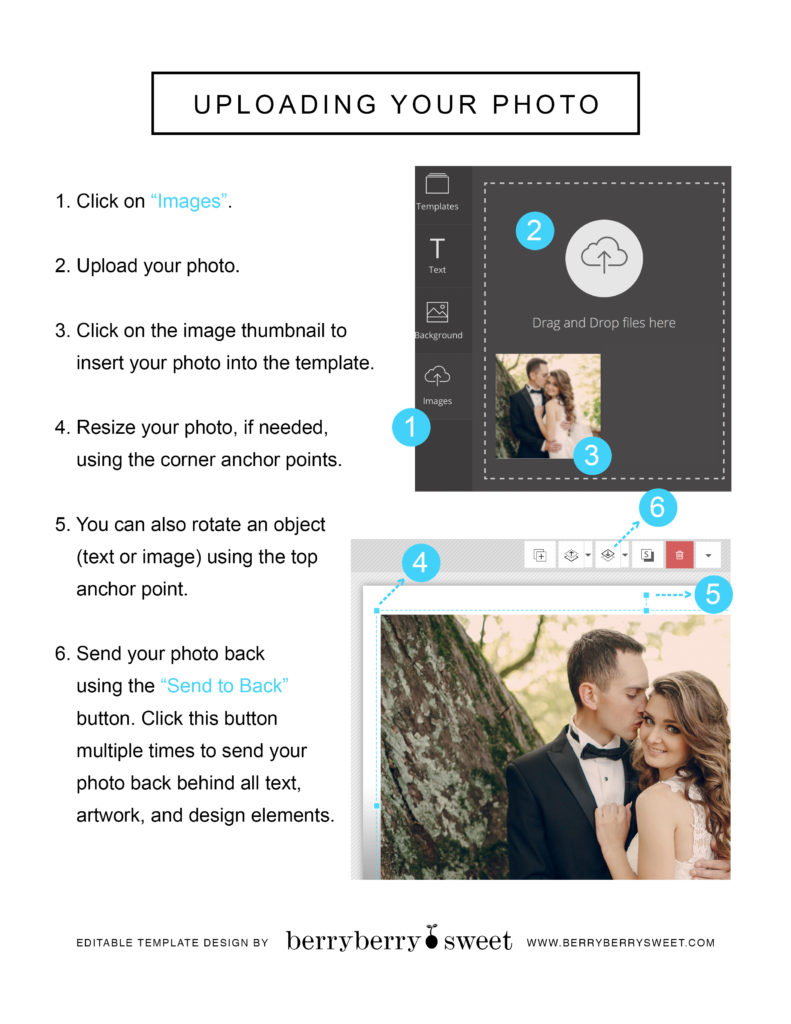
• Click on “Images” on the left hand side of your screen an upload the image that you want to use.
• Once uploaded, click on the image thumbnail to insert the image into the template.
• Click on the image that has been inserted into the template, and drag your cursor to move it around.
• Use the blue anchor points around the image to resize it.
• Use the blue anchor point above the image to rotate it.
• Use the design tools with the Up and Down arrows to send the image forward (in front of other text and design elements) or backward (behind other elements).